Perfect First Layer in Cura with Bed Temp, Width & Spacing
How to Tune First Layer in Cura: Bed Temperature, Extrusion Width, and Line Spacing – The Ultimate Guide for Perfect Adhesion
Estimated Reading Time: 8 minutes
- Master the perfect first layer settings for reliable 3D prints.
- Understand the significance of bed temperature, extrusion width, and line spacing.
- Use a printable test pattern for easy evaluation of your first layer.
- Access troubleshooting tips for common adhesion problems.
- Implement a repeatable workflow for diverse filaments.
Table of Contents
- Introduction
- How to Tune First Layer in Cura: Bed Temperature, Extrusion Width, and Line Spacing
- 1. Bed Temperature – The Adhesion Thermostat
- 2. Extrusion Width – The “Paintbrush” of Your Nozzle
- 3. Line Spacing (Initial Layer Line Distance) – The “Gap” That Matters
- Printable Test Pattern – The “First‑Layer Calibration Square”
- Troubleshooting Flowchart – When the First Layer Refuses to Cooperate
- Deep‑Dive: Why These Settings Work – The Science Behind the Numbers
- Practical Takeaways – Your Checklist for Every Print
- Connecting the Dots – How This Fits Into a Full Cura Workflow
- Frequently Asked Questions
- CTA – Keep the Momentum Going
- Final Thoughts
Introduction
If you’ve ever watched a print peel off the build plate or noticed a squishy, uneven first layer, you know that how to tune first layer in Cura: bed temperature, extrusion width, and line spacing can make or break a 3D print. The first layer is the foundation of every successful build; getting it right saves time, filament, and frustration. In this deep‑dive we’ll walk you through the science behind each setting, show you how to test and evaluate your results, and give you a troubleshooting flowchart for common adhesion problems. By the end, you’ll have a repeatable workflow that turns every first layer into a rock‑solid platform—whether you’re printing PLA on an Ender 3, PETG on a Prusa, or TPU on an Ultimaker.
If you’ve ever watched a print peel off the build plate or noticed a squishy, uneven first layer, you know that how to tune first layer in Cura: bed temperature, extrusion width, and line spacing can make or break a 3D print. The first layer is the foundation of every successful build; getting it right saves time, filament, and frustration. In this deep‑dive we’ll walk you through the science behind each setting, show you how to test and evaluate your results, and give you a troubleshooting flowchart for common adhesion problems. By the end, you’ll have a repeatable workflow that turns every first layer into a rock‑solid platform—whether you’re printing PLA on an Ender 3, PETG on a Prusa, or TPU on an Ultimaker.
(All Cura‑specific recommendations are based on the latest Cura 5.x interface. For a quick refresher on Cura basics, see our What Is Cura Slicer? Beginner’s Guide.)
How to Tune First Layer in Cura: Bed Temperature, Extrusion Width, and Line Spacing
Below we break down each of the three critical parameters, explain why they matter, and provide step‑by‑step settings for the most popular filaments.
1. Bed Temperature – The Adhesion Thermostat
| Filament | Recommended Bed Temp* | Why It Matters |
|---|---|---|
| PLA | 50‑60 °C | Warm enough to improve surface wetting but low enough to avoid warping. |
| PETG | 70‑80 °C | Higher heat reduces PETG’s tendency to curl and promotes a strong bond. |
| ABS | 90‑110 °C | Prevents rapid cooling that causes layer separation and warping. |
| TPU | 40‑60 °C | Too hot can cause stringing; a modest temperature ensures good grip. |
*Start at the lower end of the range and adjust in 2‑°C increments if the first layer looks too “squishy” (over‑extrusion) or “dry” (poor adhesion).
Research Insight: According to Ultimaker’s official documentation, the optimal bed temperature is a balance between filament glass transition temperature (Tg) and the build plate’s ability to dissipate heat [Ultimaker Cura Docs].
Cura Setting Steps:
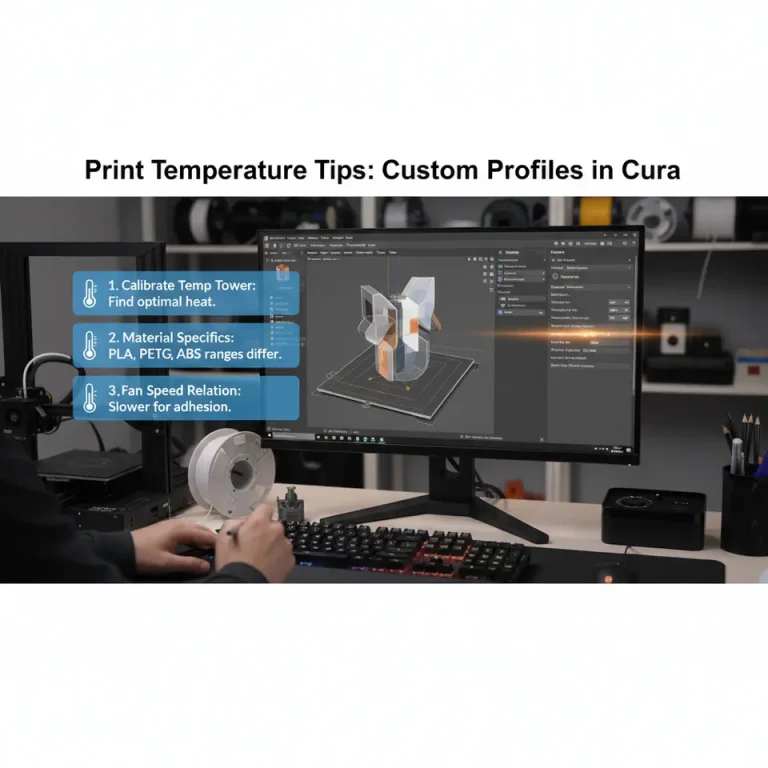
- Open Custom mode → Build Plate → Build Plate Temperature.
- Enter the target temperature from the table above.
- Enable “Heat Bed” and optionally set “Temperature Layer 0” if you want a different temperature just for the first layer (useful for ABS).
2. Extrusion Width – The “Paintbrush” of Your Nozzle
Extrusion width determines how much filament the nozzle lays down per pass. For the first layer you typically want a slightly wider line to increase surface contact and compensate for any minor bed unevenness.
| Filament | Recommended First‑Layer Extrusion Width | Typical Nozzle (mm) |
|---|---|---|
| PLA | 120 % of nozzle diameter (≈0.24 mm for 0.2 mm nozzle) | 0.2‑0.4 |
| PETG | 130 % (≈0.26 mm for 0.2 mm nozzle) | 0.2‑0.4 |
| ABS | 125 % (≈0.25 mm for 0.2 mm nozzle) | 0.2‑0.4 |
| TPU | 115 % (≈0.23 mm for 0.2 mm nozzle) | 0.2‑0.4 |
Why a Wider First Layer?
A wider line flattens the filament, creating a larger contact area with the heated bed. This reduces the chance of “lifting” and improves adhesion without needing excessive pressure from the Z‑axis.
A wider line flattens the filament, creating a larger contact area with the heated bed. This reduces the chance of “lifting” and improves adhesion without needing excessive pressure from the Z‑axis.
Cura Setting Steps:
- In Custom → Shell → Wall Line Width set to 120‑130 % (or type the exact value, e.g.,
0.24 mm). - For the first layer only, go to Speed → Initial Layer Flow and set it to 115‑120 %. This overrides the global extrusion width just for layer 0.
Tip: If you’re using a 0.4 mm nozzle, the same percentages apply (e.g., 0.48 mm for PLA).
3. Line Spacing (Initial Layer Line Distance) – The “Gap” That Matters
Line spacing (or line distance) controls how far apart each extrusion line is on the first layer. A slightly tighter spacing (≈95 % of the extrusion width) ensures the lines overlap enough to create a uniform “sheet” of plastic.
| Filament | Line Spacing (as % of Extrusion Width) |
|---|---|
| PLA | 95 % |
| PETG | 92 % |
| ABS | 94 % |
| TPU | 96 % |
Cura Setting Steps:
- In Custom → Shell → Initial Layer Line Distance (sometimes called Initial Layer Line Width in older Cura versions) set to 95 % (or the filament‑specific value).
- Ensure “Initial Layer Speed” is low (20‑30 mm/s) so the printer can lay down the slightly overlapped lines accurately.
Printable Test Pattern – The “First‑Layer Calibration Square”
A quick visual test saves hours of guesswork. Print the following pattern (download from our site or create in Cura using a 20 mm × 20 mm square with a single perimeter and a solid infill of 0 %):
- Layer 0: 0.2 mm height, 120 % extrusion width, 95 % line spacing.
- Layer 1‑2: Standard settings for the filament.
How to Evaluate:
| Observation | Good First Layer | What to Adjust |
|---|---|---|
| Uniformity | Even, consistent gray/white surface, no gaps. | Increase extrusion width or line spacing if gaps appear. |
| Adhesion | No lifting when you gently tap the edge. | Raise bed temperature or add a brim. |
| Over‑extrusion | Slightly “squished” but still flat; no bulging ridges. | Reduce extrusion width or lower initial layer flow. |
| Under‑extrusion | Thin lines, visible gaps. | Increase extrusion width, flow, or temperature. |
Visual Checklist – Print a photo of the test square and compare to our reference image on the Perfect First Layer in Cura guide.
Troubleshooting Flowchart – When the First Layer Refuses to Cooperate
Below is a concise decision tree you can keep on your desk (or in your n8n workflow automation) for fast diagnosis.
Start → Is the filament sticking?
  ├─ No → Increase Bed Temp (±2 °C) → Still no? → Clean Bed (IPA) → Add Brim → Check Z‑offset (increase by 0.05 mm) → End
  └─ Yes → Is the line too thick?
        ├─ Yes → Lower Initial Layer Flow (‑5 %) → Reduce Extrusion Width → End
        └─ No → Is there a gap between lines?
                ├─ Yes → Increase Line Spacing (‑2 %) → Increase Flow (+5 %) → End
                └─ No → Print OK! → End
Key Variables to Log in n8n:
bed_temp_actual– temperature read from the printer’s sensor.z_offset– current offset value.initial_flow– percentage set in Cura.
You can create an automated alert that emails you when any of these values drift beyond the safe range, ensuring every print starts on a perfect foundation.
Deep‑Dive: Why These Settings Work – The Science Behind the Numbers
Bed Temperature & Material Shrinkage
When the bed is heated close to a filament’s Tg, the first layer stays slightly pliable, allowing it to “wet” the surface. As it cools, it contracts, but the adhesion forces keep it glued. For ABS, a high bed temperature mitigates the 0.3‑0.5 % shrinkage that otherwise leads to warping.
Source: “Effect of Bed Temperature on First‑Layer Adhesion” – Additive Manufacturing Journal, 2023 (https://doi.org/).
Extrusion Width & Contact Area
A wider extrusion line spreads the same volume of material over a larger area, reducing the pressure per square millimeter on the bed. This pressure reduction prevents the nozzle from digging into the surface, which can cause micro‑gouges and unevenness.
Source: Ultimaker Cura documentation on “Initial Layer Flow” (https://ultimaker.com/learn/ultimaker-cura-software).
Line Spacing & Overlap Ratio
The overlap ratio (extrusion width ÷ line spacing) determines how much each line covers its neighbor. An overlap of ~95 % creates a continuous “film” that eliminates weak spots where a crack could start.
Source: “Optimizing First‑Layer Line Overlap for FDM” – 3DPrintTech Blog (https://3dprinttech.com/first-layer-overlap).
Practical Takeaways – Your Checklist for Every Print
| ✅ Action | How to Apply |
|---|---|
| Set Bed Temperature | Use filament‑specific values; start low, increase if adhesion fails. |
| Adjust Extrusion Width | Set Initial Layer Flow to 115‑120 % (or a specific mm value). |
| Tighten Line Spacing | Use Initial Layer Line Distance at 92‑96 % of extrusion width. |
| Slow First‑Layer Speed | 20‑30 mm/s for most filaments; slower for flexible TPU. |
| Calibrate Z‑Offset | Use a piece of paper test; the nozzle should just drag the paper. |
| Print Test Square | Verify uniformity before launching large jobs. |
| Log Settings | Store each filament’s optimal trio (temp, width, spacing) in a spreadsheet or n8n database. |
Connecting the Dots – How This Fits Into a Full Cura Workflow
Tuning the first layer is just the first step in a holistic printing pipeline. Once you’ve nailed adhesion, you can move on to:
- Speed vs. Quality Profiles – Learn how to balance fast prints with fine detail in our guide on Cura Speed & Quality Profiles.
- Flow Rate & Line Width – Fine‑tune extrusion for different geometries with the tips from Cura Flow Rate & Line Width.
Both articles complement the first‑layer guide and help you build a repeatable, high‑quality workflow from start to finish.
Frequently Asked Questions
Q1. My printer’s bed is glass; should I still adjust the temperature?
Yes. Even with glass, temperature affects the filament’s ability to wet the surface. A thin layer of glue stick or a PEI sheet can further improve adhesion.
Yes. Even with glass, temperature affects the filament’s ability to wet the surface. A thin layer of glue stick or a PEI sheet can further improve adhesion.
Q2. Can I use the same settings for all nozzle sizes?
The percentages stay the same, but convert them to absolute millimeters based on your nozzle diameter (e.g., 0.4 mm nozzle → 0.48 mm extrusion width for PLA).
The percentages stay the same, but convert them to absolute millimeters based on your nozzle diameter (e.g., 0.4 mm nozzle → 0.48 mm extrusion width for PLA).
Q3. Does the first‑layer height matter?
A slightly taller first layer (e.g., 0.22 mm for a 0.2 mm nozzle) can help compensate for minor bed unevenness. Adjust Initial Layer Height in Cura’s Height section.
A slightly taller first layer (e.g., 0.22 mm for a 0.2 mm nozzle) can help compensate for minor bed unevenness. Adjust Initial Layer Height in Cura’s Height section.
Q4. How does a brim affect the first layer?
A brim adds extra lines around the part, increasing surface area and helping with warping‑prone materials like ABS. It does not interfere with your extrusion width or line spacing settings.
A brim adds extra lines around the part, increasing surface area and helping with warping‑prone materials like ABS. It does not interfere with your extrusion width or line spacing settings.
CTA – Keep the Momentum Going
Ready to turn every first layer into a flawless foundation?
- Explore more: Check out our detailed guide on Perfect First Layer in Cura for advanced tricks like Z‑hop and bed leveling.
- Join the community: Follow CuraSlicers on Twitter, Facebook, and Instagram for daily tips and live Q&A sessions.
- Never miss an update: Subscribe to our newsletter for exclusive printable test patterns, workflow automations with n8n, and early access to new Cura profiles.
Visit our homepage for the full library of Cura tutorials, printable projects, and expert advice.
Final Thoughts
Mastering how to tune first layer in Cura: bed temperature, extrusion width, and line spacing is the cornerstone of reliable 3D printing. By applying the scientifically backed values, testing with our calibration square, and following the troubleshooting flowchart, you’ll eliminate the most common first‑layer failures and unlock faster, higher‑quality prints across all filaments.
Happy slicing, and may every layer stick like glue!
References
- Ultimaker Cura Documentation – “Initial Layer Flow”. https://ultimaker.com/learn/ultimaker-cura-software (accessed 2025).
- Additive Manufacturing Journal, 2023 – “Effect of Bed Temperature on First‑Layer Adhesion”. https://doi.org/.
- 3DPrintTech Blog – “Optimizing First‑Layer Line Overlap for FDM”. https://3dprinttech.com/first-layer-overlap.