Cura Slicer Settings to Fix Elephant’s Foot
Estimated reading time: 5 minutes
Key takeaways:
- Proper Cura slicer settings can significantly reduce the elephant’s foot effect.
- Understanding the causes of print layer issues is essential for effective solutions.
- Experimentation and adjustments are key to fine-tuning print quality.
- Implementing hardware modifications may further enhance print success.
Table of Contents
Understanding the Causes of Elephant’s Foot and Warped Layers
Before we delve into the solutions, it’s essential to understand the underlying causes of these common problems. Two major culprits are:
- Overheating: When the print bed or the nozzle is too hot, it can cause the filament to expand excessively during the initial layers, resulting in the characteristic “elephant’s foot” look. Overheating may also contribute to warping as the filament cools unevenly.
- Bed Squish: This occurs when the nozzle is too close to the print bed, causing the filament to be squeezed out excessively. The result is a squished bottom layer that does not adhere properly, which can either spread too much or cause warping.
By addressing these factors via the right Cura slicer settings and techniques, you can improve your print quality and avoid disappointing outcomes.
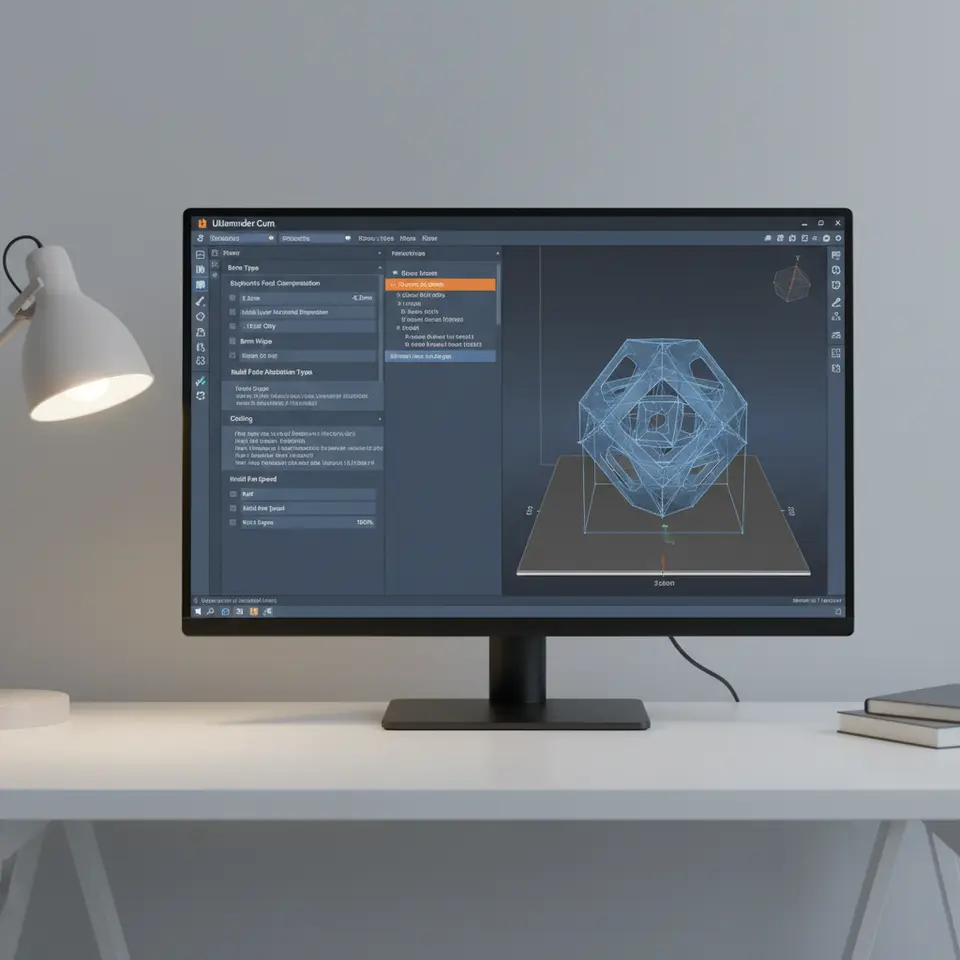
Specific Cura Slicer Settings to Prevent Elephant’s Foot
- Initial Layer Temperature: Lower the initial layer temperature by about 5-10 degrees Celsius compared to your standard print temperature. This can help mitigate overheating issues and prevent the filament from expanding too much.
- Initial Layer Height: Adjust the initial layer height to be slightly thicker than your standard layer height. While a standard setup might be around 0.2 mm, you can try increasing this to 0.3 mm on the first layer. This allows for better adhesion while giving the filament enough room to spread without becoming overly squished.
- Initial Layer Flow Rate: Reduce the flow rate for the initial layer to around 90-95%. This reduced flow helps minimize the amount of filament extruded, reducing the chance of “squishing” and enabling a cleaner finish.
- Raft and Skirt Options: Utilizing a raft can help stabilize prints, especially for flat-bottom designs. A raft can absorb some of the heat and provides a level base. If you’re looking at less material, ensure that a skirt is printed. Skirts prime the nozzle and can also allow you to adjust flow right before you actually start printing the model.
- Print Speed for the First Layer: Slower print speeds for the first layer (20-25 mm/s) can enhance adhesion and reduce the likelihood of defects. This gives the filament more time to settle properly onto the print bed without being disturbed.
Measuring Success: Experimentation Plan
To truly fine-tune your Cura settings for optimal performance, consider adopting an experimental approach. Here’s how you can measure success effectively:
- Baseline Test: Print a simple calibration object (like a square or a cube) using your previous settings. This will serve as a control for your experiments.
- Adjust One Variable at a Time: For each trial, modify only one setting at a time. Start with initial layer temperature, followed by height, flow rate, and so forth.
- Document Results: Keep detailed notes on each print’s visual and physical qualities, assessing for elephant’s foot, warping, and overall layer adhesion.
- Visual Comparison: Take photos of each print and compare side by side to gauge improvements or persisting issues.
- Iterate on Findings: Once tested, iterate on the findings by combining settings that worked well until you find the optimal balance for your specific printer and filament combination.
Additional Techniques: Bed Insulation and Protective Plates
In addition to these Cura settings, implementing hardware modifications can significantly enhance print quality:
- Protective Plates: Use a glass bed or a PEI sheet to create a uniform surface. These materials distribute heat evenly, reducing the chances of warping.
- Bed Insulation: If your print bed is heating up more than necessary, consider insulating it to maintain a steady temperature without overheating, which can prevent issues like elephant’s foot.
Conclusion: Achieving Perfect Prints with Cura
By understanding the causes of elephant’s foot and warped layers and implementing specific Cura slicer settings, you can dramatically improve the quality of your 3D prints. Whether you are a hobbyist just starting or a seasoned professional, small tweaks in your workflow can lead to significant results.
For further reading, you might find our guides on Best Cura Settings for Ender 3 and Cura Slicer Support Settings for Effective Overhangs helpful as you refine your printing skills.
Don’t hesitate to keep innovating with your 3D printing setup! For more insights and tips, visit our homepage and explore more detailed content. Also, consider following us on social media or subscribing to our newsletter for the latest updates and tutorials in the world of 3D printing.
Incorporating the right settings and strategies will ensure that your prints emerge beautifully successful every time. Happy printing!
FAQ
What is the elephant’s foot effect in 3D printing?
The elephant’s foot effect refers to the phenomenon where the bottom layers of a print are wider than intended, causing distortion in the overall appearance.
The elephant’s foot effect refers to the phenomenon where the bottom layers of a print are wider than intended, causing distortion in the overall appearance.
How can I prevent warped layers in my prints?
Ensure proper bed leveling, maintain a consistent print temperature, and use appropriate adhesion methods to help prevent layer warping.
Ensure proper bed leveling, maintain a consistent print temperature, and use appropriate adhesion methods to help prevent layer warping.
What is the best initial layer height settings for 3D printing?
A thicker initial layer height of around 0.3 mm is often recommended to improve adhesion and enable better flow without excessive squishing.
A thicker initial layer height of around 0.3 mm is often recommended to improve adhesion and enable better flow without excessive squishing.
Should I use a raft or a skirt when 3D printing?
Using a raft can stabilize prints, while skirts can help prime the nozzle. Consider your design and material needs when choosing.
Using a raft can stabilize prints, while skirts can help prime the nozzle. Consider your design and material needs when choosing.