Optimizing Cura Profiles for Linear Rails and V-Wheels
Estimated reading time: 7 minutes
Key Takeaways:
- Linear rails
- Optimal Cura settings differ significantly between **linear rail** and **V-wheel printers**.
- Understanding mechanical differences aids in customizing Cura profiles for better print quality.
- For **linear rails**, higher speeds and precise adjustments enhance performance.
- Utilizing the right cooling strategies improves layer adhesion across both systems.
Table of Contents:
Understanding Linear Rails vs V-Wheels
Mechanical Stability and Performance
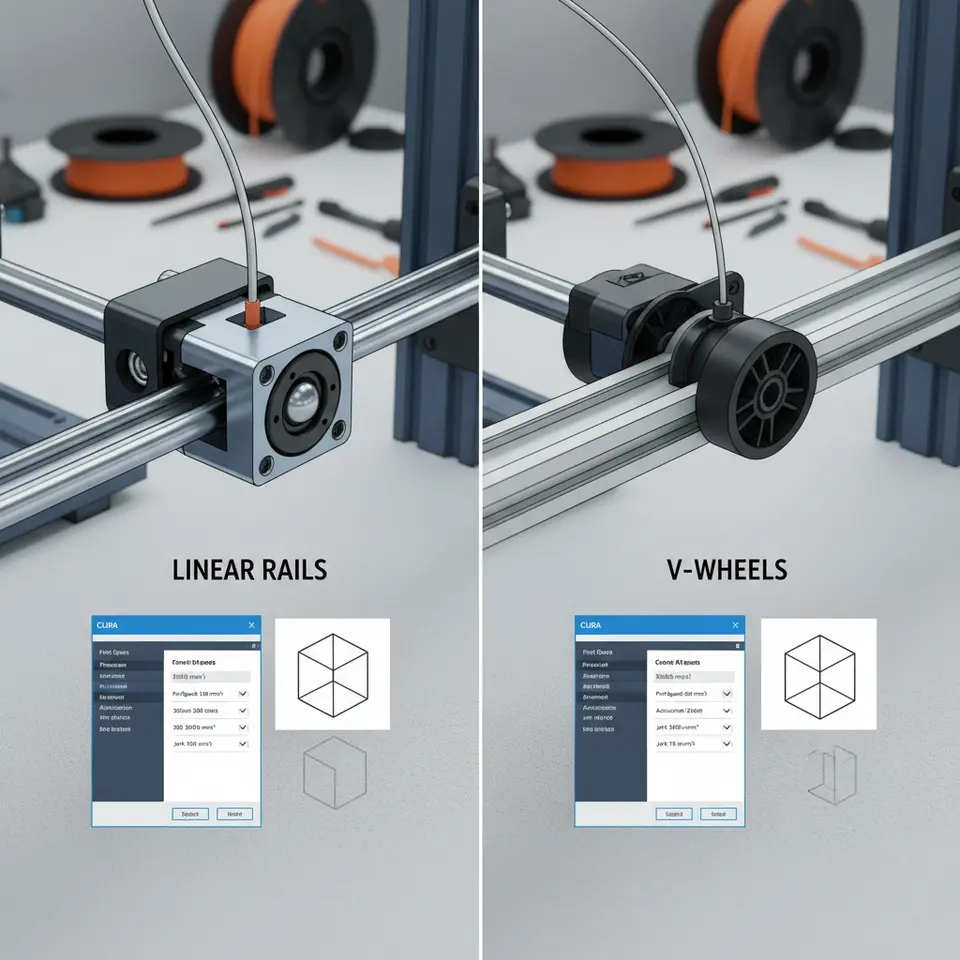
Linear rails are designed with precision in mind. They feature a smooth, guided motion that reduces backlash, allowing for more accurate and repeatable positioning. This stability can lead to improved print quality, especially in intricate designs or when using high-resolution settings. On the other hand, V-wheel systems, while generally sufficient for most hobbyist applications, may contribute to minor oscillations or play during movement, influencing the fidelity of your prints.
Comparing Motion Systems
- Linear Rails:
- Precision: Exceptional motion control increases layer adhesion and minimizes step variations.
- Durability: Less wear on components due to robust construction, leading to consistent performance over time.
- Weight: Generally heavier, which may require stronger motors to maintain speed.
- V-Wheels:
- Ease of Use: Simpler design, often cheaper and easier to find replacement parts.
- Flexibility: More forgiving in terms of setup, but might introduce slight inaccuracies under certain conditions.
- Maintenance: Requires periodic adjustments to maintain performance and counteract wear.
With a solid understanding of these differences, we can now explore how they influence the settings within Cura.
Tailoring Cura Profiles: Slicing Strategies Based on Mechanical Systems
While both linear rails and V-wheels can produce outstanding prints, configuring your Cura profiles to suit their unique mechanical characteristics can lead to optimal results. Here are several slicing strategies tailored for each system:
Cura Settings for Linear Rail Printers
- Print Speed and Acceleration:
- Recommended Settings: Higher print speeds and acceleration values (around 60-80 mm/s for standard speeds).
- Reasoning: The stability of linear rails allows for higher speeds without sacrificing print quality.
- Acceleration and Jerk Settings:
- Set acceleration to around 500-1000 mm/s².
- Jerk settings can be increased to allow for faster movements while maintaining smooth transitions.
- Layer Height:
- A layer height of 0.1 mm or lower can yield superb detail, suitable for parts requiring high precision.
- Infill Patterns:
- Use complex infill patterns like Grid or Cubic for enhanced mechanical strength and reduced weight.
- Cooling:
- Ensure proper cooling settings (fan speed around 100%) to prevent warping and enhance layer adhesion.
Cura Settings for V-Wheel Printers
- Print Speed and Acceleration:
- Recommended Settings: Slower print speeds (around 40-60 mm/s) for complex prints.
- Reasoning: To mitigate the potential for inaccuracies or unwanted vibrations from the V-wheel system.
- Acceleration and Jerk Settings:
- Set acceleration to around 300-500 mm/s², with lower jerk settings to prevent abrupt movements that can lead to print artifacts.
- Layer Height:
- A layer height of 0.2 mm is effective for typical hobby projects, balancing detail and speed.
- Infill Patterns:
- Opt for simpler infill patterns like Lines or Triangles that can be laid down without complications stemming from any minor inconsistencies in motion.
- Cooling:
- A moderate fan speed (around 70%) ensures that cooling is effective without leading to excessive warping or layer separation.
Troubleshooting Prints Based on Motion Systems
Linear Rails
- Issue: Over-extrusion leading to blob formations.
- Solution: Adjust the flow rate percentage to ensure proper filament delivery, potentially starting at 95% and adjusting based on the result.
- Issue: Layer misalignment.
- Solution: Confirm that the rails are correctly tensioned and lubricated, ensuring free movement without any binding or play.
V-Wheels
- Issue: Stringing or oozing between prints.
- Solution: Increase retraction settings (distance around 2-5 mm and speed ranging from 25-45 mm/s) to minimize filament seepage.
- Issue: Layer adhesion problems.
- Solution: Slow down the print speed and increase the number of perimeter layers to enhance surface integrity.
Resources for Further Optimization
As you delve deeper into optimizing your Cura profiles based on your printer’s mechanics, consider exploring additional resources available through CuraSlicers.com. For instance, check out our guide on Cura Slicer Maintenance for insights into keeping your printer in peak condition regardless of the system used. You can also read about the nuances of Cura Experimental Settings if you want to further experiment with advanced configurations.
Conclusion
Optimizing Cura profiles for 3D printers with linear rails versus V-wheels requires a nuanced understanding of their mechanical behaviors. By adjusting settings such as print speed, acceleration, and infill patterns according to the specifics of your printer, you can enhance both the quality and reliability of your prints.
Embracing these adjustments will lead to improved performance and satisfaction in your 3D printing journey. If you found this article helpful, consider following us on our social media channels for more insights or subscribing to our blog for the latest guides. Visit our main page for additional tips on enhancing your 3D printing experience at CuraSlicers.com.
For comprehensive guidance on slicer settings and workflows, refer to Ultimaker’s official documentation for best practices in utilizing Cura effectively.
FAQ
What is the main difference between linear rails and V-wheels in 3D printers?
Linear rails offer more precision and stability, while V-wheels are more forgiving and easier to maintain, though they can introduce slight inaccuracies.
How should I adjust my Cura settings for linear rail printers?
Use higher print speeds and low layer heights for detailed prints to take advantage of the stability provided by linear rails.
What are the common issues with V-wheel printers?
V-wheel printers may experience stringing and adhesion problems, which can be mitigated with proper retraction settings and adjustments to print speed.