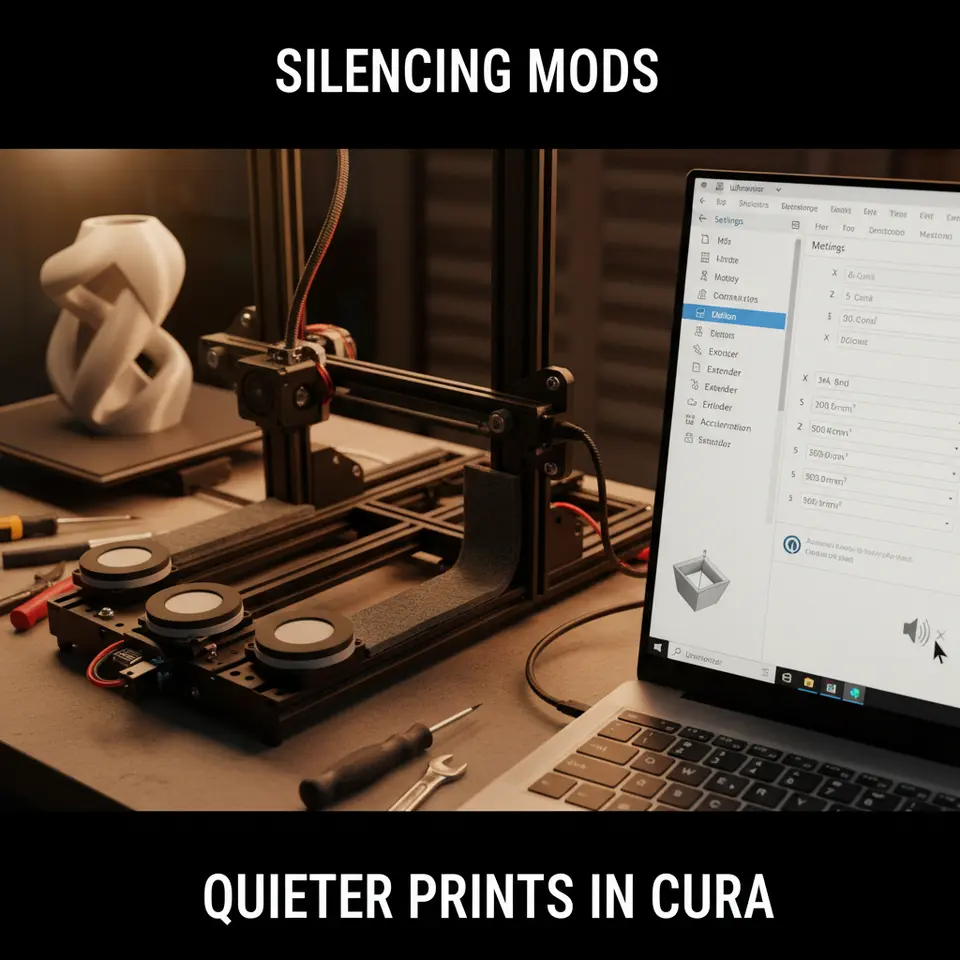
Make Your 3D Prints Quieter: Silencing Mods & Settings
How to Make Silencing Mods and Configure Jerk/Acceleration Settings for Quieter Prints in Cura
Estimated reading time: 7 minutes
- Understand the causes of noise in 3D printing.
- Implement effective silencing modifications.
- Configure jerk and acceleration settings in Ultimaker Cura.
- Measure the impact of changes to noise levels.
- Explore additional resources for optimizing print quality.
Table of Contents
- Understanding Noise in 3D Printing
- Silencing Modifications
- Configuring Jerk and Acceleration Settings in Cura
- Measuring Results: Before and After
- Conclusion
- Call-to-Action
- FAQ
Understanding Noise in 3D Printing
Before diving into the modifications, it’s essential to understand why 3D printers can be noisy. The noise often originates from the mechanical movements of the printer’s components, particularly during rapid movements and sharp changes in direction. These noises are typically associated with the following factors:
- Acceleration Settings: Sudden changes in speed can cause components to jerk, leading to noise.
- Jerk Settings: Jerk refers to the instantaneous change in speed. When jerk settings are high, the printer makes abrupt stops and starts, creating more vibration and noise.
- Mechanical Vibrations: Poorly tuned printers can create excessive vibrations, which resonate through the frame and the surface on which the printer is placed, amplifying sound levels.
Silencing Modifications
1. Vibration Dampers
One of the most effective ways to reduce noise is to use vibration dampers. These are typically made from rubber or silicone and are installed between the printer frame and the surface it’s positioned on.
- Benefits: They absorb vibrations, reducing the sound transmitted to the surface.
- Installation: Simply place these dampers under the printer’s feet.
2. Sound-absorbing Materials
Consider using sound-absorbing mats. These can be made from materials such as foam or acoustic insulation. Placing these materials underneath your printer can significantly drop noise levels.
- Benefits: They dampen sound resonance and absorb mechanical noise.
- Installation: Cut the mats to fit beneath your printer and ensure good coverage.
3. Enclosures
Building an enclosure not only provides a quieter environment but also maintains temperature stability which can enhance print quality.
- Benefits: Enclosures can contain sound and reduce environmental factors causing print issues.
- Materials: Use acrylic panels or wood to create a solid structure around the printer.
4. Upgrading Components
Upgrading to silent stepper motors or using silent driver boards can significantly reduce noise levels.
- Benefits: These components are designed to operate more quietly than standard parts.
- Installation: This may require some soldering and configuration in the printer firmware, but the improvement is often worth the effort.
Configuring Jerk and Acceleration Settings in Cura
Now that we have discussed modifications, let’s look at how to fine-tune your Cura settings to create quieter prints.
1. Accessing Advanced Settings in Cura
To adjust jerk and acceleration settings in Cura:
- Go to Preferences > Configure Cura > Settings.
- Enable “Expert” mode if you haven’t already. This gives access to advanced configurations.
2. Adjusting Acceleration Settings
High acceleration can lead to abrupt movements, creating more noise. Here’s how to adjust it:
- Find: Go to Speed Settings in the print settings.
- Set Acceleration: Start with a conservative acceleration setting (e.g., 500 mm/s²) and adjust based on print success and noise levels.
3. Fine-tuning Jerk Settings
Lowering the jerk settings can help smoothen movements:
- Find: Jerk settings are often located under the Movement tab in Cura.
- Set Jerk: Starting at 5 mm/s for XYZ movements can help reduce noise. Test prints will help you find the optimal settings.
4. Test Prints for Data
Using specific test print files, you can evaluate the impact of these adjustments:
- Create Test Files: Consider benchmarking tools like tower prints or calibration cubes.
- Measure Sound Levels: Use a smartphone app or a sound level meter to quantify the noise before and after making adjustments.
Example Adjustments
| Setting | Initial Value | Adjusted Value | Impact on Print Time |
|---|---|---|---|
| Acceleration | 1000 mm/s² | 500 mm/s² | Slower but quieter |
| X/Y Jerk | 10 mm/s | 5 mm/s | Less vibration |
| Z Jerk | 0.4 mm/s | 0.2 mm/s | Stabilized movement |
Measuring Results: Before and After
By measuring the sound levels before and after these modifications, you can quantify the effectiveness of your changes. For example, you may find that noise levels dropped from 65 dB to 50 dB after implementing these changes, making a substantial difference in your working environment.
Conclusion
Reducing noise in 3D printing is not just about making modifications but also configuring the settings within your slicing software, such as Ultimaker Cura. By applying the aforementioned silencing mods and adjusting your jerk and acceleration settings, you can create a more pleasant printing experience that minimizes noise pollution.
For an in-depth exploration of additional Cura settings relevant to print quality improvements, check out our guides like Cura Flow Rate and Line Width and Reduce Print Time in Cura.
If you’re looking for ways to optimize your 3D printing experience further, visit our homepage at CuraSlicers.com for more tips and tutorials.
Call-to-Action
Are you ready to quiet your 3D printing process? Experiment with these silencing mods and settings today! Don’t forget to follow us on social media and subscribe to our newsletter for more informative guides.
FAQ
1. How do vibration dampers work?
Vibration dampers absorb vibrations from the printer, reducing the sound transmitted to the surface it’s placed on.
2. What materials are best for sound-absorbing mats?
Foam or acoustic insulation materials are generally effective for sound absorption and can be placed under the printer.
3. Can I modify jerk and acceleration settings without affecting print quality?
Yes, careful adjustment can maintain print quality while reducing noise. Test different settings to find the best balance.
4. What components should I upgrade for a quieter operation?
Upgrading to silent stepper motors and silent driver boards can significantly enhance noise reduction.
5. How can I measure the effectiveness of my changes?
Using sound level meters or smartphone apps to compare noise levels before and after modifications will help quantify their effectiveness.