Best Practices for Cura Slicer with Carbon-Fiber Filaments
Cura Slicer Best Practices for Printing with Carbon-Fiber Filled Filaments
Estimated reading time: 5 minutes
- Higher strength-to-weight ratio for lightweight, strong parts.
- Enhanced layer adhesion results in fewer print failures.
- Specialized nozzles are essential to prevent wear.
- Slower print speeds improve print quality and durability.
- Regular maintenance is crucial for optimal performance.
Understanding Carbon-Fiber Filled Filaments
Selecting the Right Nozzle for Carbon-Fiber Printing
Optimizing Cura Slicer Settings for Carbon-Fiber Filaments
Conclusion
FAQ
Understanding Carbon-Fiber Filled Filaments
Carbon-fiber filled filaments, such as Carbon-Filled Nylon or Carbon Fiber PLA, consist of thermoplastics enhanced with tiny carbon fibers. This results in materials that are significantly stiffer and stronger than standard filaments, making them ideal for functional prototypes and end-use parts. However, these benefits come at the price of increased abrasiveness, which can quickly wear down standard nozzles.
Key Characteristics of Carbon-Fiber Filled Filaments:
- Higher Strength-to-Weight Ratio: These filaments yield parts that are lightweight but stronger than standard materials.
- Enhanced Layer Adhesion: Carbon fibers improve inter-layer bonding, resulting in fewer print failures.
- Abrasiveness: The presence of carbon fibers means that you need specialized nozzles to prevent wear and maintain print quality.
Selecting the Right Nozzle for Carbon-Fiber Printing
When working with carbon-fiber filled filaments, one of the most critical decisions is the choice of nozzle.
Recommendations:
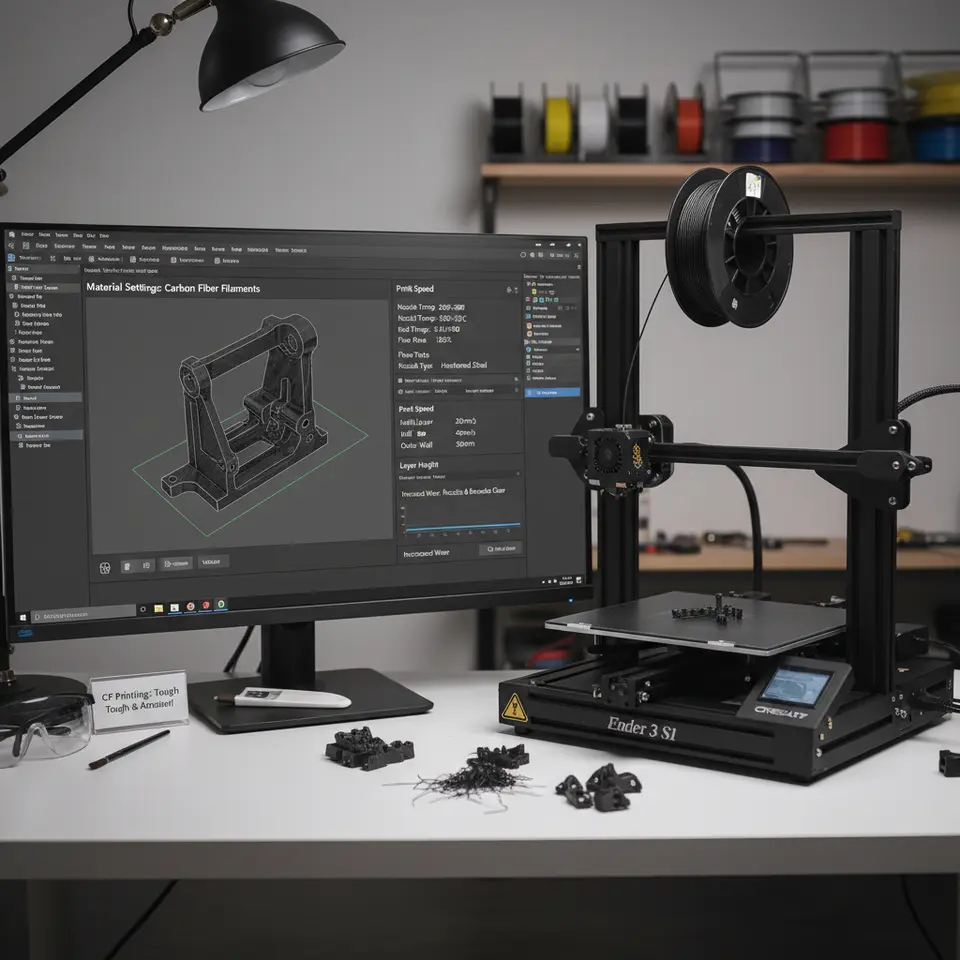
- Hardened Steel Nozzles: Opt for nozzles made from hardened steel or other abrasion-resistant materials. These nozzles withstand the wear and tear — a necessary investment for a longer lifespan in your 3D printer.
- Larger Diameter Nozzles: If you are looking for quicker print times while sacrificing some detail, consider using a larger diameter nozzle (0.6mm or larger). This not only allows for faster extrusion but also decreases the chances of clogging caused by carbon fibers.
Safety and Maintenance Checklist:
- Regularly Inspect Nozzles: Look for signs of wear or clogs, replacing nozzles as necessary.
- Check PTFE Liners: Ensure that the PTFE liner within the hotend is in good condition, as carbon-fiber materials can lead to increased degradation.
For more tips on choosing the right components, don’t miss our detailed guide on Cura Slicer Printer Setup.
Optimizing Cura Slicer Settings for Carbon-Fiber Filaments
Once you have the right nozzle, it’s time to turn your attention to Cura slicer settings. Optimizing these settings ensures that you get the best performance, print quality, and mechanical properties.
Key Settings to Adjust:
- Print Speed: Reduce the print speed to around 30-40 mm/s. Slower speeds help to ensure even extrusion and proper layer adhesion while mitigating the risk of nozzle wear.
- Layer Height: A layer height of 0.2mm is optimal for achieving a good balance between speed and detail.
- Print Temperature: Keep the print temperature consistent with the filament manufacturer’s recommendations (usually between 220 to 260°C). Ensure your hotend can reach and maintain this temperature to avoid issues related to heat break within the nozzle.
- Cooling: While cooling is often beneficial, too much cooling on carbon-fiber filled filaments can lead to warping. Use cooling fans at moderate settings (around 50%) to allow for adequate cooling without causing adhesion problems.
- Flow Rate: Adjust the flow rate if you’re experiencing issues with under-extrusion or over-extrusion. A good starting point is 100%, but feel free to tweak it along the way based on your specific printer and filament.
Advanced Slicing Features:
- Adaptive Layers: Utilizing adaptive layer settings can significantly enhance detail in high-stress regions while maintaining speed in less critical areas. Check out our article on Cura Adaptive Layers Optimization for in-depth guidance on using this feature.
- Z-Hop: Enabling Z-hop can reduce the risk of stringing and help your prints retain clean finishes. You might want to explore our comprehensive guide on how to Enable Z-Hop in Cura.
Conclusion
Printing with carbon-fiber filled filaments offers many advantages in terms of strength and stability, but it also requires a keen understanding of the right materials and settings to optimize your workflow. By investing in hardened nozzles, adjusting Cura slicer settings, and performing regular maintenance checks, you can significantly improve your results.
For more insights and practical tips on 3D printing, slicing, and workflow optimization, visit our main page at CuraSlicers.com and keep up to date with our latest guides.
As you embark on your journey with carbon-fiber filaments, don’t forget to connect with us on social media for updates and tips or subscribe to our newsletter to receive future guides straight to your inbox! Happy printing!
FAQ
What nozzles are best for carbon-fiber filled filaments?
Hardened steel nozzles are recommended to handle the abrasiveness of the filaments.
Can I use standard nozzles for carbon-fiber printing?
Standard nozzles may wear down quickly and lead to clogs; it’s best to use specialized, abrasion-resistant nozzles.
What print speeds should I use?
It’s recommended to print at 30-40 mm/s for better extrusion and layer adhesion.
Is cooling necessary when printing with carbon-fiber?
Moderate cooling can help, but excessive cooling may lead to warping, so adjust fan speeds accordingly.
How often should I check my nozzle?
Regular inspections are recommended; replace the nozzle as soon as wear or clogs are detected.