Cura Slicing Strategies: Direct Drive vs Bowden
Estimated reading time: 5 minutes
Key Takeaways:
- Understand the differences between direct drive and Bowden extruders for optimal 3D printing.
- Adjust retraction settings based on extruder type to prevent stringing.
- Modify print speeds and acceleration settings for improved print quality.
- Troubleshoot common issues like under-extrusion and surface finish challenges.
Table of Contents
- Understanding Extruder Types
- Key Differences in Cura Settings
- Troubleshooting Common Issues
- Practical Tips for Each Extruder Type
- Conclusion
- FAQ
Understanding Extruder Types
Before we dive into the Cura slicing settings, let’s clarify what direct drive and Bowden extruders are and how they differ in their mechanics and performance.
1. Direct Drive Extruders:
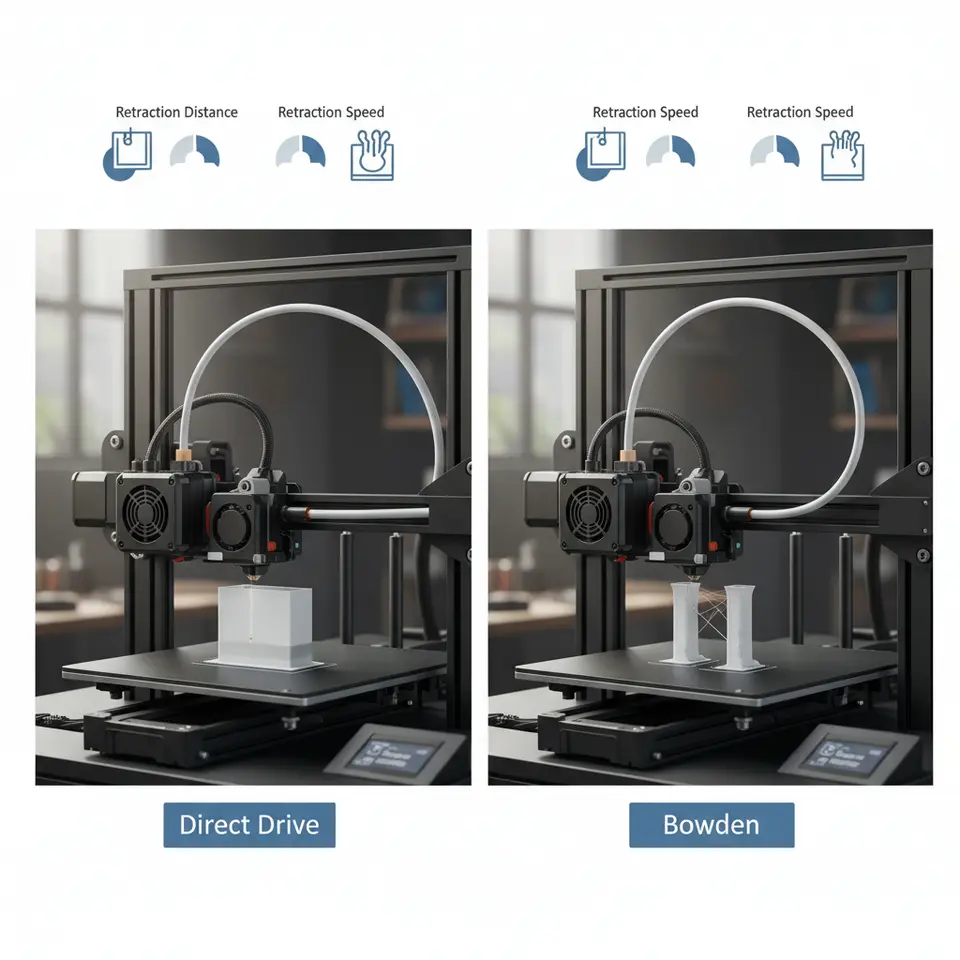
- In a direct drive system, the extruder motor is mounted directly on the print head. This close coupling allows for precise control over filament extrusion, making it particularly beneficial for flexible filaments. Due to the short distance from the extruder gear to the hotend, there’s minimal delay in filament feeding, leading to improved retraction performance.
2. Bowden Extruders:
- In contrast, Bowden extruders place the motor away from the print head, typically on the printer’s frame. The filament is pushed through a long tube (the Bowden tube) to reach the hotend. While this design lightens the moving mass and can lead to faster prints, it introduces more lag in filament feeding. This can be problematic with flexible filaments and can require specific adjustments to print settings.
Key Differences in Cura Settings
Switching between a direct drive and a Bowden system necessitates modifications in specific Cura settings. Here are the crucial adjustments to consider:
1. Retraction Settings
Direct Drive: Since direct drive systems have less distance for the filament to travel, they require less retraction distance. A typical retraction distance might be around 0.5 to 2 mm, depending on the filament used.
Bowden: Bowden systems often require longer retraction settings to compensate for the increased length of the filament path. A retraction distance of 4 to 6 mm is common for Bowden setups.
Practical Takeaway: When switching to a Bowden system, don’t forget to adjust your retraction distance in Cura to avoid stringing issues. Check out our guide on Cura Retraction Settings for more tips.
2. Print Speed
Direct Drive: These systems can handle higher print speeds effectively due to their direct control over filament flow. Therefore, you can increase the print speed settings in Cura without significant quality loss.
Bowden: Bowden setups may necessitate slower print speeds, especially for intricate details or flexible materials, as the filament can compress in the tube.
Practical Takeaway: Experiment with slower speeds when using a Bowden extruder initially until you’ve dialed in the perfect settings.
3. Temperature
Both systems will generally work with similar temperature profiles for various materials; however, certain materials may require you to adjust the temperature based on your printing speed and filament type.
Practical Takeaway: Maintain a close eye on temperature settings, especially when tweaking other parameters in Cura. Refer to our Temperature Tower Guide to find the best settings for your materials.
4. Acceleration and Jerk Settings
Direct Drive: You can often set higher values for both acceleration and jerk settings since the responsiveness is better.
Bowden: Lower these settings to avoid issues with overshooting and under-extrusion during sharp turns because of the filament lag.
Practical Takeaway: Adjust the jerk and acceleration settings in Cura based on the extruder type for better print quality.
Troubleshooting Common Issues
Transitioning from one extruder type to another can lead to several challenges, particularly for new users. Here are common issues and troubleshooting tips:
- Stringing: A more common issue with Bowden setups due to longer filament paths. Ensure proper retraction settings and possibly lower print speed or temperature.
- Under-Extrusion: Pay close attention to the flow rate settings in Cura. It might be necessary to calibrate the flow rate when switching between setups.
- Surface Finish: Direct drive setups can yield superior print finishes, especially when handling flexible materials.
Practical Tips for Each Extruder Type
- For Direct Drive Users: Use filaments with high flexibility like TPU and PETG efficiently. Your Cura profiles can remain dynamic but keep an eye on layer height for adequate coverage.
- For Bowden Users: Opt for rigid materials, and consider integrating a high-quality filament tube to minimize friction that could cause feed issues.
Conclusion
Choosing between direct drive and Bowden extruders comes down to understanding your printing needs and material choices. Each system presents unique advantages and requires specific adjustments in your slicer software, particularly Ultimaker Cura. By addressing the key differences in Cura slicing strategies for these extruder types, you can enhance your print quality and reliability.
For further exploration into optimal Cura settings, consider checking our articles on Cura Experimental Settings and Cura Slicer Maintenance Guide.
FAQ
Q: What are the main differences between direct drive and Bowden extruders?
A: Direct drive extruders have the motor mounted directly on the print head, allowing for better control over flexible filaments and faster retraction. Bowden extruders place the motor away from the print head, reducing weight but increasing the lag in filament feeding.
Q: How do I adjust retraction settings in Cura?
A: In Cura, navigate to the retraction settings panel, and adjust the retraction distance based on your extruder type; typically, 0.5 to 2 mm for direct drive and 4 to 6 mm for Bowden setups.
Q: How can I troubleshoot under-extrusion?
A: Check your flow rate in Cura, ensure the nozzle is clean, and verify that the filament is not jammed. You might also need to calibrate your extruder steps per millimeter.
Q: Can I use the same temperature for different extruder types?
A: Generally, yes. However, specific materials may require temperature adjustments based on the print speed and other parameters related to your extruder setup.